Your voice, carried forward.
After a laryngectomy, an electrolarynx gives you speech — but not your voice. DeepLarynx listens to electrolarynx speech and re-creates natural speech as you talk, in a voice built from your own recordings, entirely on your device.
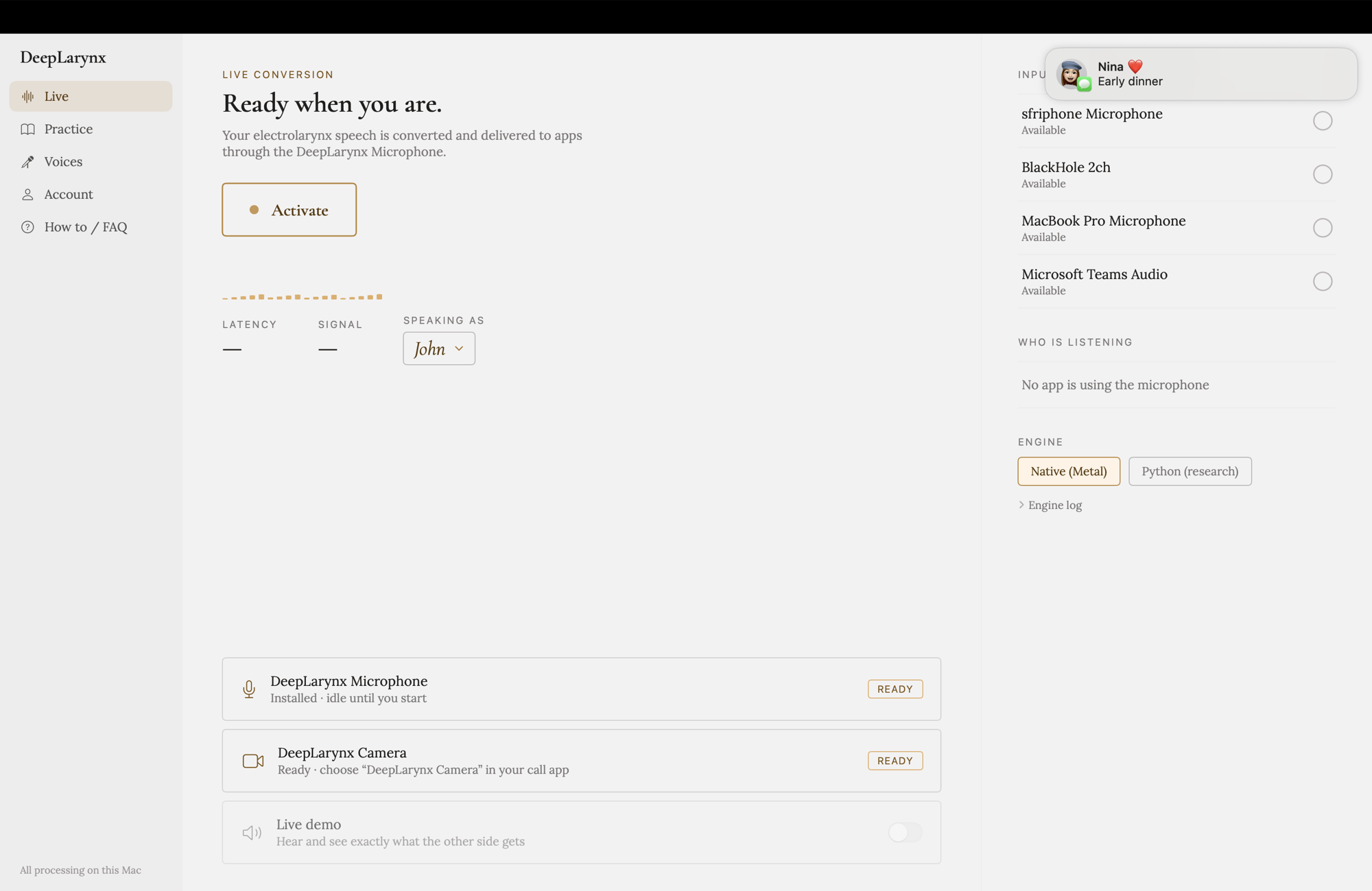
DeepLarynx for Mac. A system-wide DeepLarynx Microphone — choose it in Zoom, FaceTime, or any call app, and the other side hears your reconstructed voice, never the raw microphone.
Requires an Apple silicon Mac running macOS 14.4 or later. This is a beta build: the first time you open it, macOS may warn you — right-click the app and choose Open, or allow it under System Settings → Privacy & Security.
Set up once, then just speak
Add a voice (optional)
Upload recordings of your old voice — voicemails, videos, voice memos — or a preferred voice. Three to five minutes of clear speech is enough. Or skip this and start with a studio preset.
Speak as you do now
Use your electrolarynx just as you do today. Any microphone works, but a headset or lapel mic close to your speech works best. No new habits to learn.
Your voice is rebuilt, live
A neural pipeline re-synthesizes your speech in about a third of a second — not a robotic preset, but a voice built from your own recordings.
Delivered to any microphone input on your computer
On your Mac, the DeepLarynx Microphone appears in every call app — Zoom, FaceTime, anything. Because reconstruction takes a moment, calls are where it feels most natural; in-person use through a speaker is possible, but the delay takes getting used to. On iPhone, call support is still on the way.
We've been testing DeepLarynx with electrolarynx speech, but it isn't limited to it — it should also work for tracheoesophageal (valve) speech and esophageal speech. If that's how you speak, we'd especially like to hear from you.
The full setup on your Mac. A preview in your pocket.
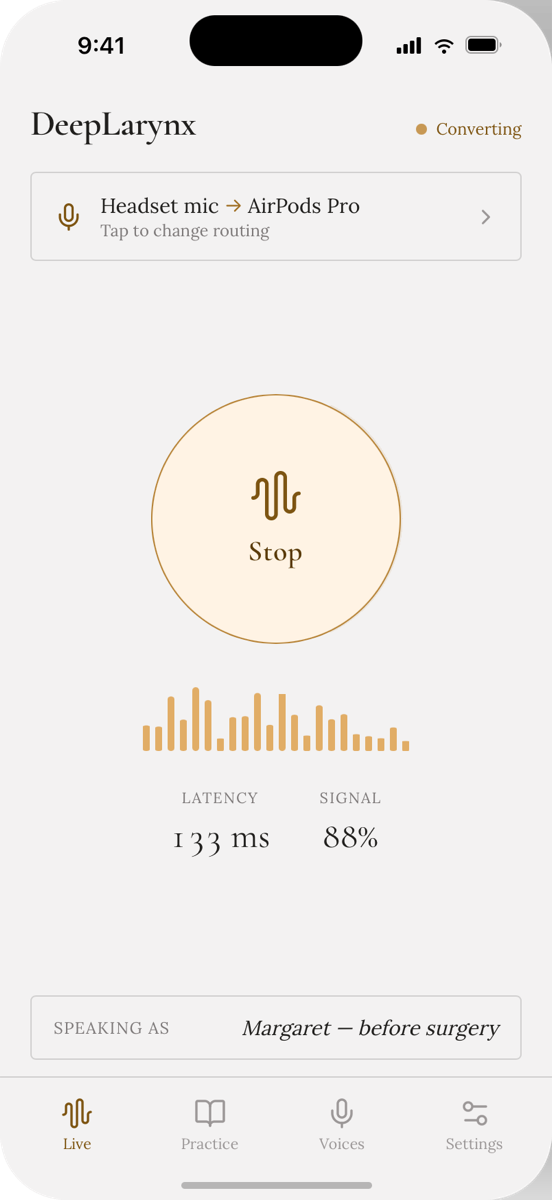
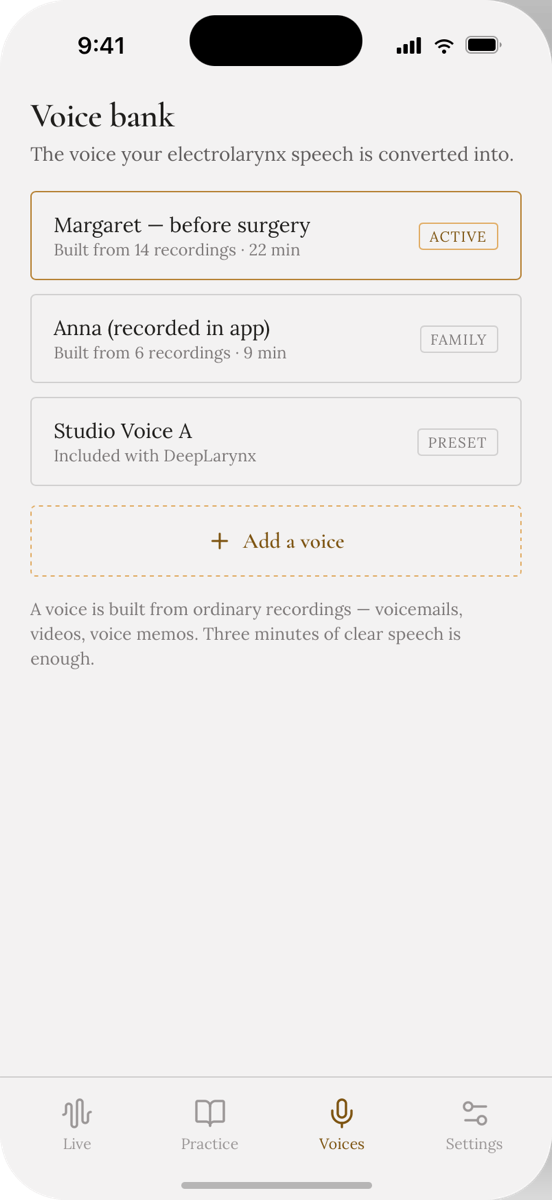
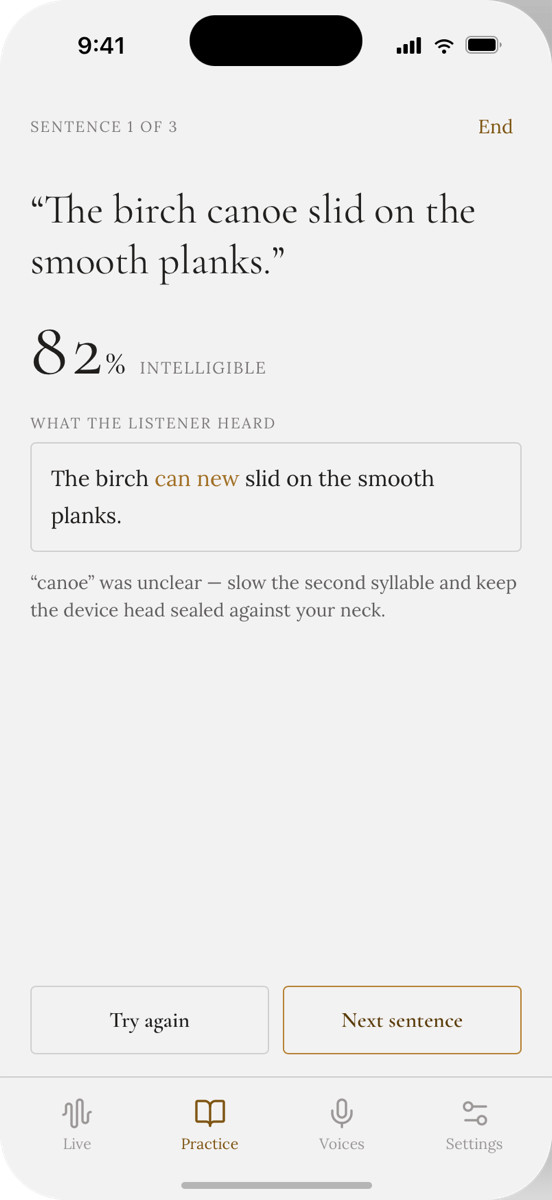
A note on the iPhone app: today it's an early preview — convert your speech live and hear it through headphones or a speaker, practice, and build voices. iOS doesn't allow system-wide microphones the way macOS does, so your reconstructed voice can't yet join regular phone calls; calling from inside the app is the direction we're working toward. For calls today, the Mac is the complete experience.
A voice is built from ordinary recordings — voicemails, videos, voice memos. Three to five minutes of clear speech is enough.
Live conversion stays on your Mac
Live conversion runs entirely on your device: the models run on Apple silicon, with no cloud round-trips and no audio uploaded — it works with no connection at all. The one exception is Practice mode, which sends your practice sentences to our servers to help train better models; we are practicing too :). Your everyday speech — calls and conversation — stays on your Mac.
Help us shape it
DeepLarynx is in active development. We're inviting a small group to test early builds:
- Electrolarynx, valve (TEP), and esophageal speakers
- Speech-language pathologists
- ENT and head & neck clinicians